Welcome! This post is about the extension of the mechanisms and philosophy of the inventory system. Previously I talked about how it started as the most basic .tres object for every item method and turned into a whole pipeline based on a spreadsheet and converters. This version seems to fit my expectations, but not yet covers every corner it needs to. Next to inventory, there is the ability system. However, there are differences, there are many common properties too.
Action bar v0
My first ability “system” was a static, hardcoded “buttons with functions” one. Basically, I made 4 clickable buttons in Godot and wrote some code for them. Most just to print the name of the button I clicked, so I could verify it works. The first four abilities I imagined my RPG character would surely have in some form. Since I based the archetype on a sword and board fighter, I added 1-1 ability for each tool. A “Slash” and a “Shield bash”. Very telling and very general names. You don’t need to invent the coolest name for a test. Then I thought my legs need some tasks too, so “Kick”. And I need a “Potion”. Actually, these are not quite fantasy based at all, anyone with intact hands and legs could do these maneuvers and drink coffee to gain a short boost. Working out their actual mechanisms is quite more difficult. Turns out, game systems are so deeply entangled, it is hard to tell where to start. For example, most of these actions would require another character to even work. The potion would require the character to have some kind of resource system, so it could increase remaining health or energy for example. I’m not there yet. Though my character (I mean the one I made by copying an actual tutorial) could run left and right and jump, adding other actions requires way more. Never mind, I renamed Shield bash to Shield rush and made the character run faster for a second. Again, just for testing. These will require separate animations and sound effects too. I’m not there yet either.. But, creating the first ability bar laid the foundations of drawing my own assets at least. This was the time when I started to draw a bit more seriously. Though I have drawn a single potion icon in attempt to make my inventory items visible, that was about it. So, my first action bar with icons:
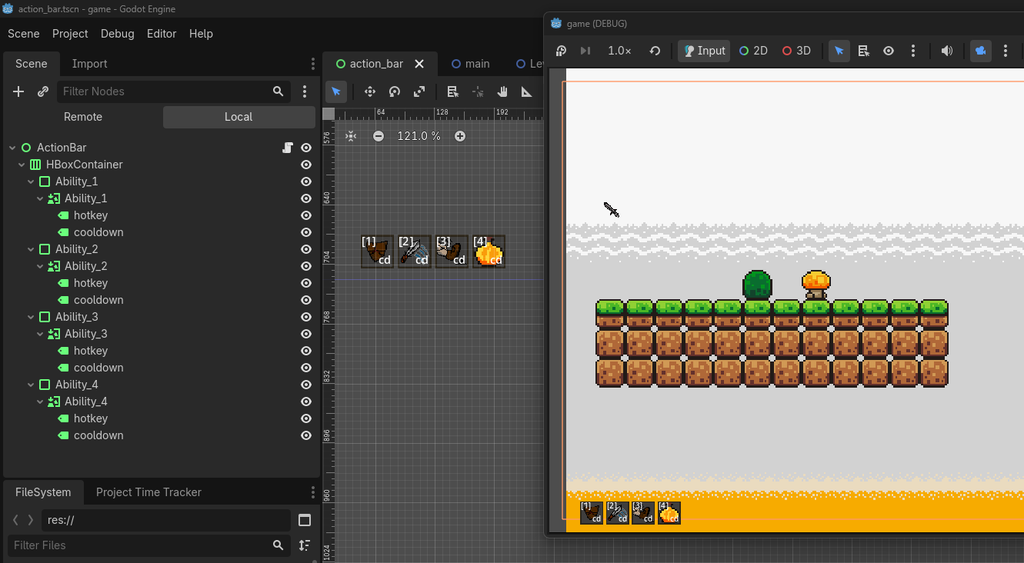
The tiles, shrub and mushroom are still from the resources of the tutorial mentioned.
Choice for art
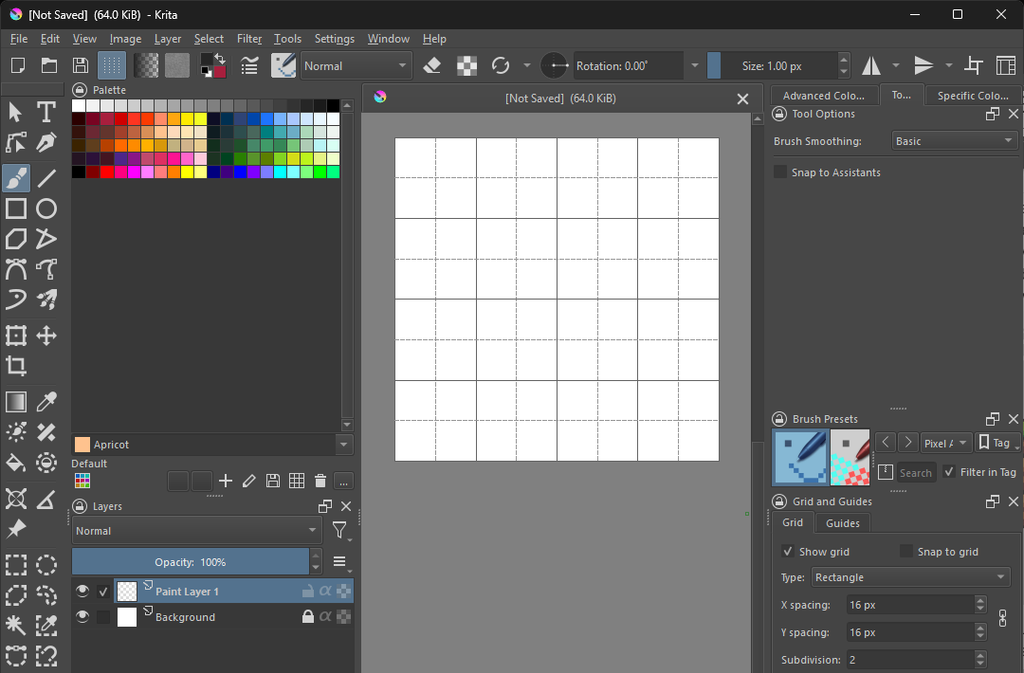
A few words on the drawing software of my choice. I use Krita. These are my very first results. Never used anything beyond pencils and paper and MS Paint. Only tried out a few others. I’m also new to pixel art. It’s a lot different than a “fluid” drawing. Often every pixel matters. One off can feel really off. Krita is a really nice one for this task. Easy to get hooked, has just the right tools. At least this is how it seems to me. For example, it has a pixel art brush and can show pixel based grid. Possibly other software can do that too, but this is really an easy to learn one. And free, donation based. GIMP was the other close contender, but that seemed to have a more difficult learning curve.
Action bar v1
While working on the inventory system, I gained some ideas about how “slots” work. These are kind of sockets where you can put something, items. Or could you put something else there too? Yes, actually the action bar is an array of slots where you can put abilities. Took me a time for this idea to surface, but I swept the board clean after realizing I actually have to implement the same thing here as I did with the inventory. Copy, paste, done. I made a rough action bar, which was just a second inventory, only smaller. I could drag the items there, no actual abilities existed yet in the same manner as items did. Copy-pasted the spreadsheet tab and the classes handling the items too. They needed some small modifications. For example, the items had totally different stats than I intended for abilities. An item would have a weight, price, damage, while an ability could have damage (not the same damage), plus cooldown, target, etc. The damage of a weapon is its property, while the damage on an ability is rather a formula that calculates in your characters gear, buffs, debuffs at a given moment and when the ability hits a target, it needs to even function in the stats of that target, like how much armour they have. This ties in directly to the stat system.
An ability could also be just an item, as in my test example. The 4th ability is basically drinking a potion. It could be either a standalone ability or one that uses a reagent, an actual potion from the inventory. I intend to go with the reagent based one. Reason: more tactical and a bit more realistic. You need to care about having a stock of something if you want to use it. Could be just cooldown based, but that goes against having a kind of crafting system, which I would like to have. Now back to the action bar. It only stores abilities you put there, but any character would have more than what’s on the tray. Meaning that an ability book is needed too. A main storage where everything you could chose from can be found. Some games let you put everything on the action bar, some do not. I plan to go with the second option. The action bar will represent what is placed within easy reach. Your bag could be huge, like some hiker’s have, but they could only use some without rummaging through the entire bag. The action bar is that small readily available part. Do not know the exact size yet, I think in 8-12 slots for now. The whole should be 2-3 times that, plus passive abilities you won’t put on the bar, but should be visible in the ability book. I intentionally do not call it a spell book, because that sounds rather like a magic user’s item. This is more neutral.
The remaining thing that separates the inventory from the ability system is the ruleset. While the equipment window slots can accept items of a specific equipment type (head, chest, feet) and the inventory can accept anything defined as item, the action bar can accept anything from the ability book and those are defined as abilities. It would still be a problem if I wanted to drag the Potion item there, since that’s not an ability. Either it should accept consumables or an ability should be available, like “Drink potion”. The second option would limit the ability in a way. Drink what potion? Some games actually use this system and the ability can select the resource on a hotkey or right click. For example, in Palia the arrows for the bow and the lure for the fishing rod are selected in this way. In Diablo III however, the potion is a baseline ability, no reagent, only cooldown, but it can be replaced by an item to have an extra effect.
And last but not least, I created tooltips for all the items and abilities. The text sources from the same spreadsheet. The challenge there was to make it behave correctly and show the information in a properly readable format. Interestingly the formatting resembled HTML a bit. However, there are multiple ways to create a tooltip, some might be different. I went with a moderately deep solution. Mine is mostly using my own code. It could be a bit more automated inside the editor, but that would leave less room for customization.
Here is the new action bar in action 😊
I think my thoughts were a bit scattered between gameplay system design and game mechanic design. These naturally overlap a bit. There are many small side steps I didn’t even mention. It’s not the point to list every change like a patch note would do. I also didn’t go much into technical details. It was way more of a struggle than it seems from just a few hundred words. I’m very much pleased with the result, the progress was fun, but tiresome. Feels a bit less refined than the intention, but it’s a work in progress of course.